In this video, Brian Richards from Cloud 616 shares his top 5 takeaways from Dreamforce 2025, with a focus on what matters most for admins, consultants, and operational teams. He covers themes like the growing role of AI copilots, the shift toward data cloud and unified platforms, and Salesforce’s continued push to simplify tools for business users. It’s a quick, opinionated recap that cuts through the hype and gives you real insight into what’s next.
Summer 25 Top 10 Features
In this video, Brian Richards from Cloud 616 highlights the most valuable new features for Salesforce Admins in the Summer ’25 release. He walks through practical enhancements like flow improvements, UX upgrades, and platform tweaks that will actually make day-to-day admin work easier—not just flashier. If you’re short on time but want to stay ahead of what matters, this is the update to watch.
Salesforce vs. HubSpot
In this video, Brian Richards from Cloud 616 compares HubSpot and Salesforce, outlining where each platform shines—and where they fall short—based on real-world use cases. He breaks down key differences in customization, reporting, integrations, licensing, and long-term scalability, helping teams choose the right tool based on their size, complexity, and growth plans. It’s a refreshingly balanced take designed for marketing and ops leaders evaluating their CRM options.
NPSP vs. Non Profit Cloud
In this video, Brian Richards from Cloud 616 breaks down the key differences between Salesforce’s NPSP (Nonprofit Success Pack) and the newer Nonprofit Cloud offering. He explains what’s changing, what’s staying the same, and why it matters for organizations currently using NPSP or considering a new implementation. The video is packed with plain-language guidance and candid perspective—helping nonprofit leaders and admins understand where Salesforce is headed and how to plan accordingly.
ICO Locale Upgrade Error
In this video, Brian Richards from Cloud 616 explains the ICO Locale Upgrade error that some Salesforce orgs began encountering. He walks through what the error means, how it’s triggered (typically in screen flows with country or locale-based logic), and how admins can troubleshoot and resolve it. This is a helpful heads-up for anyone managing flows with address or localization logic—especially if you’re seeing unexplained failures after a Salesforce update.
Data Tables
In this video, Brian Richards from Cloud 616 demonstrates how to use Data Tables in Salesforce Screen Flows to let users view and select multiple records in a clean, efficient interface. He walks through a practical example where users can select participants from a contact list and pass those selections into later flow steps. It’s a great intro for admins looking to improve UX, reduce clicks, and add interactivity to their flows without custom code.
Salesforce Technical Debt – Automation
In this video, Brian Richards from Cloud 616 breaks down what technical debt means in a Salesforce context and how it accumulates—especially through unchecked automation, abandoned fields, and unclear ownership. He shares examples of how over-automating without governance can lead to bloated systems that are hard to maintain, and offers a practical mindset shift: treat your CRM like a product, not just a database. It’s a thoughtful, plain-language guide for admins, ops leaders, and anyone trying to clean up or scale their Salesforce org responsibly.
Agentforce
In this video, Brian Richards from Cloud 616 gives a clear, real-world walkthrough of Agentforce, Salesforce’s Experience Cloud template for customer service portals. He shows how Agentforce can be configured to surface support articles, allow customers to open cases, and interact with their case history—all without needing to log into the Salesforce backend. The video includes a live example and tips on how this tool can improve customer support without overcomplicating your system.
Dynamic Forms
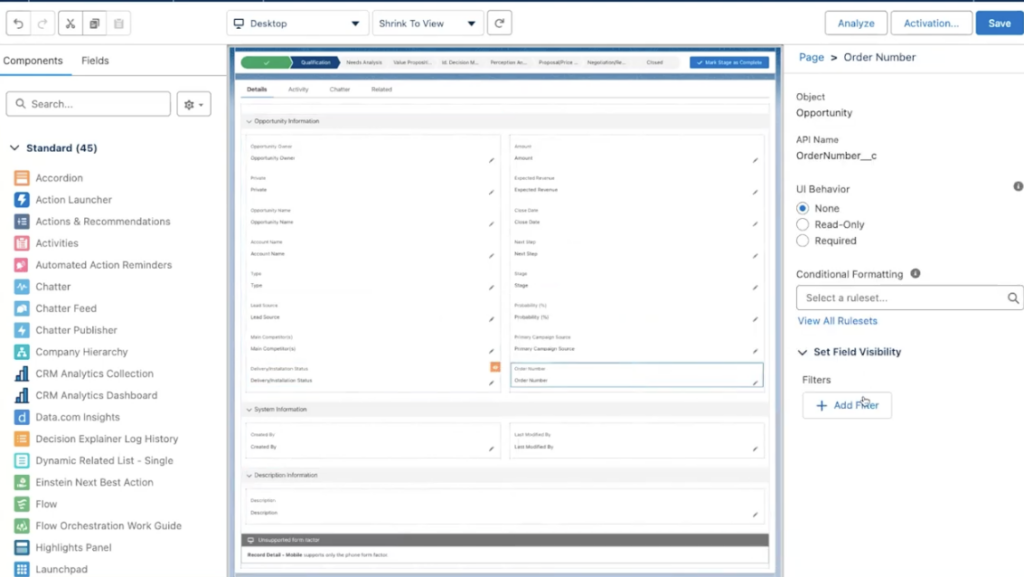
In this short video, Brian Richards from Cloud 616 gives a practical overview of Salesforce Dynamic Forms—explaining what they are, why they’re useful, and how to start using them. He walks through a real-world use case where fields on a contact page change visibility based on the contact type, showing how Dynamic Forms can reduce clutter and improve the user experience for admins and end users alike.